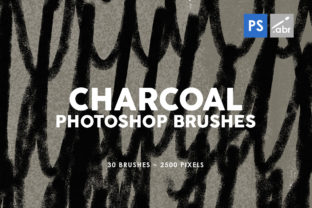
30 Charcoal Texture Photoshop Brushes: Enhancing Creativity with High-Resolution Textures
For artists, designers, and digital creators, the right tools can make all the difference in bringing ideas to life. Among the many resources available, 30 Charcoal Texture Photoshop Brushes stand out as a versatile and powerful addition to any creative toolkit. These brushes offer high-resolution textures that are compatible with any version of Adobe Photoshop, making them accessible to professionals and hobbyists alike. Whether you're working on photo manipulation, game design, or digital art, these textures provide a unique way to add depth, character, and authenticity to your projects.
Understanding the Value of Charcoal Texture Brushes
The appeal of charcoal textures lies in their ability to mimic the organic, hand-drawn qualities of traditional media. When applied digitally, they can create a sense of realism that is hard to achieve with other brush types. The 30 Charcoal Texture Photoshop Brushes are crafted to deliver this effect with precision, offering users a wide range of options to experiment with different styles and effects.
Each texture is designed to be used at up to 2500 pixels in size, ensuring that even the most detailed work maintains clarity and sharpness. This makes them ideal for large-scale projects where resolution is critical. Furthermore, the brushes are optimized for compatibility across all versions of Photoshop, so whether you're using an older edition or the latest release, you won't encounter any issues with performance or functionality.
Practical Applications of Charcoal Texture Brushes
The versatility of 30 Charcoal Texture Photoshop Brushes means they can be applied in numerous ways across different industries and creative fields. Here are some of the most common use cases:
- Photo Overlays: Artists often use charcoal textures to add a vintage or artistic feel to photographs. By applying these brushes as overlays, you can create a dramatic contrast between light and shadow, enhancing the mood and atmosphere of the image.
- Digital Photo Manipulation: For those involved in photo editing, these brushes can serve as a tool for creating realistic textures such as cracks, smudges, or aged paper effects. They allow for greater control over how elements interact within a composition.
- Game Art and Visual Effects: Game developers and concept artists rely on textures to bring environments and characters to life. The natural look of charcoal textures can help create immersive worlds with a tactile, handcrafted appearance.
- Decorative Elements: In graphic design and illustration, these brushes can be used to add decorative touches to logos, posters, and illustrations. Their subtle variations in tone and density can add visual interest without overpowering the main design.
Advantages of Using High-Resolution Charcoal Textures
One of the key advantages of 30 Charcoal Texture Photoshop Brushes is their high-resolution quality. Unlike lower-resolution alternatives, these textures maintain their integrity when scaled up, making them suitable for both small and large projects. This level of detail ensures that the textures blend seamlessly with other elements in your design, avoiding the pixelation or distortion that can occur with lower-quality assets.
Another benefit is the ease of integration into existing workflows. Since these brushes are compatible with all versions of Photoshop, they can be quickly imported and used without requiring additional plugins or software. This accessibility makes them a valuable resource for anyone looking to enhance their digital creations without the need for complex setups.
Additionally, the variety of textures included in the set allows for experimentation and creativity. Whether you're aiming for a rough sketch-like appearance or a more refined, polished look, there's a texture that can meet your needs. This flexibility encourages artists to explore new techniques and push the boundaries of their work.
Considerations When Working with Charcoal Texture Brushes
While 30 Charcoal Texture Photoshop Brushes offer many benefits, it's important to consider how best to use them effectively. One consideration is layer blending modes. Depending on the desired effect, adjusting the blending mode of the texture layer can significantly impact the final result. For example, using "Multiply" or "Overlay" can help integrate the texture more naturally with the underlying image.
Opacity settings also play a crucial role in achieving the right balance between the texture and the base image. Starting with a lower opacity and gradually increasing it allows for more precise control over the intensity of the effect. This approach helps avoid overwhelming the composition with too much texture.
Another factor to keep in mind is the context in which the texture is being used. While charcoal textures can add depth and character, they may not be appropriate for every project. It's important to assess whether the texture complements the overall style and purpose of the work before applying it.
Exploring Creative Possibilities with Charcoal Textures
Many artists have found innovative ways to incorporate 30 Charcoal Texture Photoshop Brushes into their workflow. For instance, illustrators might use them to simulate the look of hand-drawn sketches, adding a personal touch to their digital artwork. Photographers could apply these textures to create a retro aesthetic, transforming modern images into something that feels like it belongs in a gallery.
In the field of concept art, these brushes can be used to develop storyboards or character designs with a more organic feel. The ability to layer multiple textures can help build up complex surfaces, such as weathered stone or aged wood, giving the artwork a rich, three-dimensional quality.
Even in web design, charcoal textures can be employed creatively. Subtle applications of these brushes can add visual interest to backgrounds, buttons, or headers without distracting from the content. This makes them a useful tool for designers looking to create visually engaging interfaces.
As digital art continues to evolve, the demand for tools that bridge the gap between traditional and digital mediums will only grow. 30 Charcoal Texture Photoshop Brushes represent one such tool, offering a way to infuse digital creations with the warmth and character of real-world materials.
Conclusion
Incorporating 30 Charcoal Texture Photoshop Brushes into your creative process can open up new avenues for expression and innovation. Whether you're a seasoned professional or just starting out, these high-resolution textures provide a valuable resource for enhancing your digital projects. With their compatibility, versatility, and artistic potential, they are a must-have for anyone looking to elevate their work in Photoshop.