Coffee Stain Photoshop Brushes
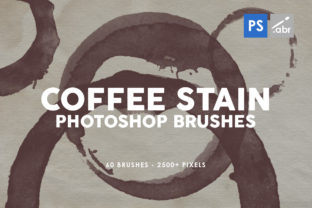
Enhance your digital projects with Coffee Stain Photoshop Brushes, a versatile tool that brings texture and character to your creative work. Designed for professionals and hobbyists alike, this collection offers 60 high-quality brushes in one convenient .ABR file. Whether you're designing marketing materials, editing photos, or crafting illustrations, these brushes can add a unique touch in seconds.
What Are Coffee Stain Photoshop Brushes?
Coffee Stain Photoshop Brushes are digital tools created to mimic the look of real coffee stains. They are perfect for adding imperfections, textures, and organic feel to your designs. These brushes come in various shapes and sizes, allowing you to simulate different types of coffee spills, drips, and splatters. With each brush being 2500 pixels in size and 300 dpi resolution, they ensure clarity and detail even when used on large-scale projects.
These brushes are especially useful for designers who want to create a vintage or rustic look without spending hours on manual detailing. The ease of use makes them ideal for anyone looking to add a quick but impactful visual element to their work.
Key Features and Benefits
- High-Quality Texture: Each brush is crafted with attention to detail, providing realistic coffee stain effects that blend seamlessly into your design.
- Easy to Use: Just one click and you can apply these brushes to your project. No need for complex layering or adjustments.
- Compatibility: The brushes are compatible with Photoshop CS6, making them accessible to both new and experienced users.
- Versatile Applications: From flyers and posters to web graphics and social media content, these brushes can be used across multiple platforms.
Practical Applications Across Different Fields
The versatility of Coffee Stain Photoshop Brushes makes them suitable for a wide range of applications. Here are some practical examples of how they can be used in different environments:
Design and Marketing
Marketers and graphic designers often need to create eye-catching visuals that stand out. By incorporating coffee stains into designs, you can give your work an authentic, handcrafted appearance. This is particularly effective for branding elements such as logos, packaging, and promotional materials that aim to convey a warm, approachable vibe.
For instance, a café's flyer could feature a subtle coffee stain effect around the edges to enhance the theme and make the design more relatable.
Photography and Photo Editing
Photographers and editors can use these brushes to add texture to portraits, landscapes, or any image that requires a natural, organic feel. A slight coffee stain overlay can help create a vintage aesthetic or add depth to a photo, making it more visually engaging.
Imagine using these brushes to create a distressed look on a wedding photo or to add a subtle texture to a black-and-white portrait. The result can be both elegant and memorable.
Illustration and Art
Artists and illustrators can benefit from these brushes by using them to add depth and realism to their artwork. Whether you're working on a children's book, a poster, or a digital painting, the coffee stain brushes can help simulate aged paper, fabric textures, or other surfaces that require a tactile feel.
They can also be used creatively to add background elements or foreground details that enhance the storytelling aspect of your illustration.
Why Choose Coffee Stain Photoshop Brushes?
There are several reasons why Coffee Stain Photoshop Brushes are a valuable addition to your design toolkit. First, they offer a quick and efficient way to add texture without the need for complicated techniques. This is especially important in fast-paced environments where time is of the essence.
Second, the high-resolution quality ensures that your designs maintain sharpness and clarity, even when printed at larger sizes. This makes them ideal for both digital and print projects.
Finally, the variety of 60 different brushes gives you the flexibility to experiment and find the perfect match for your project. Whether you need a subtle hint of texture or a bold, dramatic effect, there’s a brush that can meet your needs.
Considerations When Using Coffee Stain Photoshop Brushes
While these brushes are incredibly useful, there are a few things to keep in mind when using them. First, consider the context of your project. Not every design will benefit from a coffee stain effect, so it's important to use them judiciously.
Additionally, always test the brushes on a separate layer before applying them to your final design. This allows you to adjust opacity, blending modes, and other settings to achieve the desired effect without compromising the integrity of your original work.
Lastly, remember that while these brushes can add texture and character, they should complement—not overpower—your overall design. Balance is key when incorporating any decorative element into your project.
By understanding the strengths and limitations of Coffee Stain Photoshop Brushes, you can use them effectively to elevate your creative output and deliver visually compelling results.