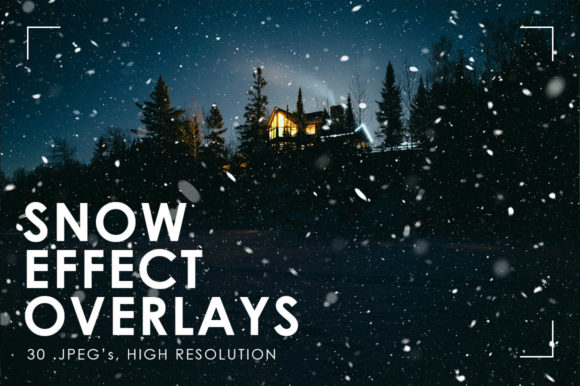
Snow Effect Overlays: Transform Your Photos with a Winter Touch
If you're looking to add a touch of winter magic to your photos without the hassle of complex editing, Snow Effect Overlays are your go-to solution. These overlays are more than just decorative elements—they’re powerful tools that can instantly elevate the mood and aesthetic of your images. Whether you're a professional photographer, a social media content creator, or simply someone who enjoys capturing moments with a seasonal flair, Snow Effect Overlays offer a quick and effective way to bring a snowy atmosphere to your visuals.
What Are Snow Effect Overlays?
Snow Effect Overlays are digital textures designed to simulate the look of snowfall on photographs. Typically provided as high-resolution JPEG files, these overlays come in various sizes and resolutions—such as 5000x5000 pixels at 300 DPI and 6000x4000 pixels at 300 DPI—ensuring they maintain quality even when scaled for different uses. They are often isolated, meaning they can be applied over any background without leaving unwanted elements behind.
These overlays are crafted to blend seamlessly with your original image, creating a realistic snow effect that enhances the overall feel of the photo. The versatility of these overlays allows them to be used across a wide range of creative projects, from personal photography to commercial work.
Real-World Uses of Snow Effect Overlays
One of the most common applications of Snow Effect Overlays is in social media content creation. Platforms like Instagram, Pinterest, and Facebook thrive on visually appealing content, and adding a snowy texture can make your posts stand out during the winter months. For instance, a travel blogger might use a Snow Effect Overlay to give their photos of a ski resort a more authentic, wintry feel, helping to engage their audience and convey the right atmosphere.
In the photography industry, Snow Effect Overlays are especially useful for editorial work or fashion shoots set in winter environments. A fashion photographer could apply a subtle snow overlay to a model’s portrait to create a dreamy, ethereal look that aligns with the season. This not only saves time but also adds a level of consistency across a series of images.
For graphic designers and illustrators, these overlays serve as a quick way to add depth and texture to digital artworks. Whether it's a holiday card design or a promotional poster, a snow overlay can instantly evoke a sense of warmth and nostalgia, making the final product more engaging and emotionally resonant.
Who Benefits from Snow Effect Overlays?
The benefits of Snow Effect Overlays extend beyond just visual appeal. They are particularly beneficial for users who need to produce content quickly without compromising on quality. Content creators often face tight deadlines and limited resources, and these overlays provide an efficient solution for achieving a professional look with minimal effort.
Photographers** who may not have access to outdoor shooting conditions during the winter can still capture the essence of the season using these overlays. Similarly, educators and teachers** who create visual aids for lessons on weather or seasons can use Snow Effect Overlays to illustrate the concept of snowfall in a more tangible and relatable way.
Even home users** who enjoy taking photos and sharing them online can benefit from these overlays. They allow for easy customization and enhancement of personal memories, making everyday moments feel more special and festive.
Key Considerations Before Using Snow Effect Overlays
While Snow Effect Overlays are incredibly useful, there are a few considerations to keep in mind before applying them. First, resolution and size** are crucial. High-quality overlays ensure that your final image remains sharp and clear, especially when printed or viewed on larger screens. Always check the resolution (300 DPI) and dimensions to match your intended use.
Next, consider the opacity and blending modes**. Some overlays may be too intense or not transparent enough, so adjusting these settings in your editing software can help achieve the desired effect. It's also important to test the overlay on different types of images to see how it interacts with colors and lighting.
Finally, think about the intended purpose** of your project. A subtle overlay might be more appropriate for a romantic winter scene, while a more dramatic one could work well for a fantasy or fairy tale theme. Understanding your goal will help you choose the right overlay and apply it effectively.
Strengths and Limitations of Snow Effect Overlays
One of the greatest strengths of Snow Effect Overlays is their **ease of use**. Unlike traditional snow effects that require manual layering or complex editing techniques, these overlays provide a straightforward solution that anyone can apply with minimal technical skill. They are also highly versatile, working across a variety of image types and styles.
However, there are some limitations to consider. While overlays can enhance the visual appeal of an image, they cannot replace the authenticity of real snow. In some cases, overly heavy or unrealistic overlays may detract from the natural feel of the photo. Additionally, since these are pre-designed textures, they may not always perfectly match the specific lighting or composition of your image.
Despite these limitations, the convenience and effectiveness of Snow Effect Overlays make them a valuable addition to any creative toolkit. When used thoughtfully, they can significantly enhance the visual storytelling power of your images.